Authentication
Web interface
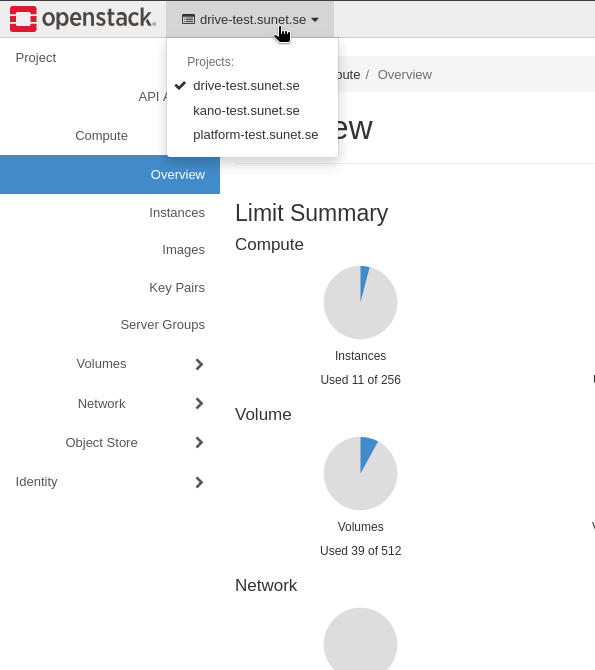
The web interface is authenticated using eduGAIN single sign-on (Seamless Access). You can log in using your institutional account through eduGAIN, or you can create a new eduID account if your institution is not part of eduGAIN. When you are logged in you can see all projects you have access to. You can switch between projects using the project selector in the top left corner
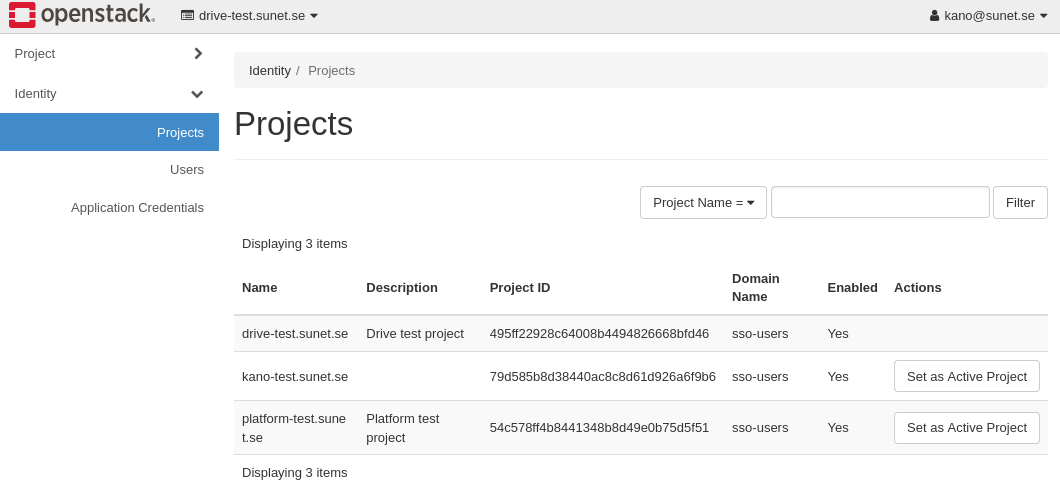
If you have a lot of projects you may need to set the current active project by going to Identity -> Projects, searching for the relevant project, and clicking the "Set active" button.
API
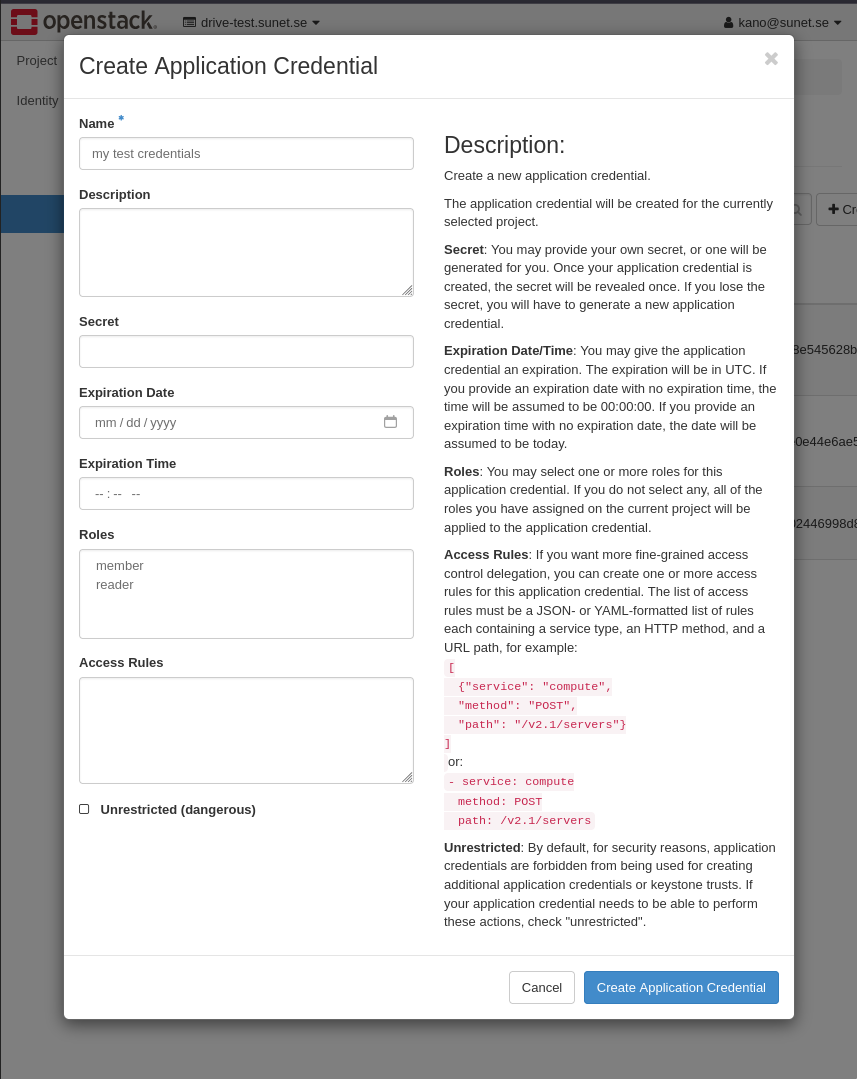
Use an application credential to authenticate to the OpenStack API. First select the intended project, then go to Identity → Application Credentials and click Create Application Credential.
These credentials can be downloaded either as an OpenStack RC file, or as
a clouds.yaml file, both of which can be used to authenticate using
the OpenStack CLI or SDKs.
The Application Credential is scoped to a user and a project, so you can create multiple credentials for different projects if you have access to multiple projects.
Leave Unrestricted (dangerous) unchecked for ordinary automation. Creating S3 credentials is an exception: it requires an unrestricted application credential.
Application credentials belong to their creating user, not an independent service identity. Changes to that user's project roles can invalidate them. Plan credential rotation when ownership or project membership changes, and explicitly revoke credentials that are no longer needed.
S3
S3 uses an access key and secret key stored in Keystone as EC2 credentials. They are separate from the application credential ID and secret used to authenticate the OpenStack CLI or SDKs.
Horizon 2025.2 change
Project → API Access → View Credentials still shows OpenStack connection details, but no longer displays S3 access and secret keys. Manage S3 credentials through the OpenStack CLI or SDKs instead. This UI change does not itself revoke existing S3 keys.
Create S3 credentials
- Select the intended project in the dashboard.
- Go to Identity → Application Credentials → Create Application
Credential and enable Unrestricted (dangerous). Include the
project role needed to create EC2 credentials, normally
member. -
Download the application credential's
clouds.yaml, then follow CLI authentication to configure the client. Use this credential, not an older restricted one. Check the authenticated project's ID before creating keys: -
To reuse existing keys, list and inspect them. If you need a new pair, run:
The output contains
access,secret,project_id, anduser_id. Store the secret securely; do not share or log the command output. Useaccessandsecretin your S3 client, not the application credential's ID and secret. Creation adds a new pair; it does not replace existing keys. See S3 client configuration for the endpoint and tool examples.
Unrestricted credentials can create further credentials
This option removes a protection against credential creation; it
does not grant additional project roles. Use it only when needed,
keep the assigned roles to a minimum, and protect the downloaded
credential files. If creation fails with HTTP 403, check that the
loaded application credential is unrestricted and has the required
project role. An existing restricted credential cannot be made
unrestricted by editing its RC file or clouds.yaml; create a new
one in the dashboard.
An application credential is scoped to the project selected when it was created. Switching projects in the browser does not change the CLI's scope. To issue S3 keys for another project, authenticate with an application credential created for that project.
Manage S3 credentials
List your keys without printing their secrets:
Check the project ID before using or deleting a key. The commands default to the authenticated user; do not assume the list is an inventory of all keys in every project you can access.
To retrieve an existing pair, replace ACCESS_KEY with its access key.
This command prints the secret, so do not share or log its output:
To revoke a pair that is no longer needed, delete it explicitly. Clients using that pair will lose access:
Treat S3 keys as separate credentials: do not assume deleting the application credential used to issue them also revokes the S3 keys.
Security Considerations
Keep an inventory of application credentials and S3 keys, and revoke any that are no longer needed or may have been compromised. Review them when project membership changes rather than relying on membership changes to delete stored credentials. This is especially important for credentials used by applications or scripts, which can otherwise be forgotten.
If you suspect that a credential has been compromised, or there is a security incident, please contact the support team immediately so that we can investigate and take appropriate action to mitigate any potential damage.
Sunet staff will never ask you for any secrets, so if you receive any requests for your credentials, please report it to the support team immediately.