Migrating shared/group folders from Box to Sunet Drive with the help of rclone
Use case: You want to migrate your files from Box to Sunet Drive without having to download all files locally to your computer
The general setup for this use case consists of the following steps:
- Setup rclone with webdav for Nextcloud as described here: rclone sync folders Sunet Drive folders\ (Reminder: install rclone, create an application password, configure rclone as Nextcloud webdav provider)
- Setup rclone with box
- Test your synchronization with a dry-run
- Run rclone sync between the two connections and your chosen folders
We now assume that you have configured a connection to box with the name ‘box’ and a connection to Sunet Drive with the name ‘sunetdrive’. Execute a dry-run with a command that looks like this
rclone sync box:<box remote-folder> sunetdrive:<targetfolder> --dry-run
The explicit synchronization would then also include showing the transfer progress:
rclone sync box:mydata sunetdrive:boxmigraitontest/mydata --transfers 32 --checkers 16 --progress
Note: Timestamps of files will be migrated to Sunet Drive, but at the time of writing there was still a bug in Nextcloud where folders residing in S3 buckets would receive a new timestamp.
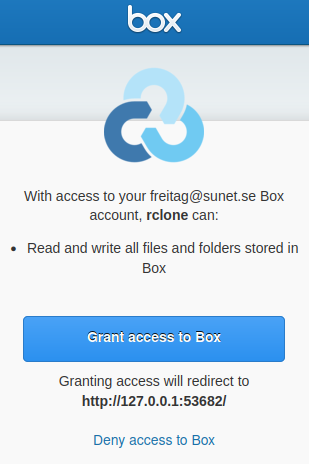
Configuring rclone with box requires the user to authorize the connection