Generate an API key (aka application password)
With Nextcloud/Sunet Drive, you can create API keys (aka application passwords) for individual applications. Here are the steps:
-
Log into your Sunet Drive via your browser using your normal identity (i.e., directly via https://drive.sunet.se)
-
Remember the node URL, this is important later (e.g., https://su.drive.sunet.se for users from Stockholm University)
-
Click on your profile icon and then Settings
-
Open Security on the left panel
-
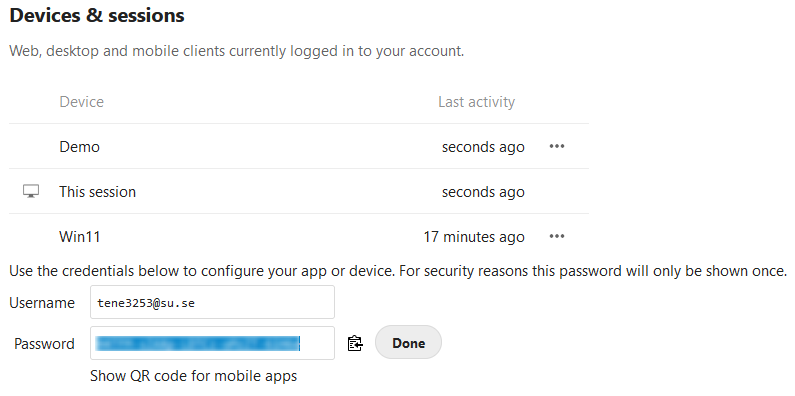
Type in an app name and click on “Create new app password”
-
Copy/Save the username and password
Note: Keep the application password safe. Regularly review the list of devices and sessions and delete any unused application passwords or sessions. NEVER store an application password in code and/or clear text. Follow security guidelines that are aligned with your institution.