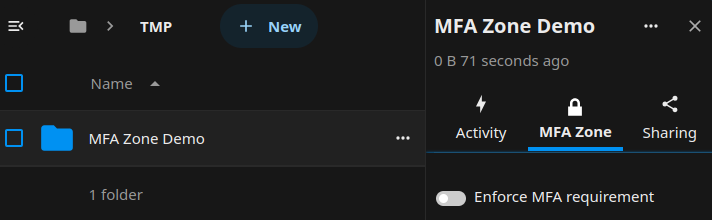
MFA Zones
Note: MFA Zones have been deprecated and will be replaced by MFA4All, ensuring that all users logging in to Sunet Drive have added a second factor to their user account.
MFA Zones are protected folders that can be locked by individual users and ensures that the data can only be accessed by users that have added MFA to their user account. MFA Zones come with other limitations to ensure a high level of access control to the files residing in an MFA Zone:
- Files can only be accessed via the web interface of Sunet Drives.
- External access to files is prohibited, this includes the sync client, Collabora Office, and WebDAV.
- Only users who added a second factor to their account (TOTP or WebAuthn device) can access files.
- Share links to files in an MFA Zone are prohibited.
- Federated sharing of files in an MFA Zone are prohibited.
- Users without an added factor do not see an MFA Zone until they have added a second factor to their user account.
MFA Zone Checkbox