Basic scripting with curl
We assume that you have created an application password for your scripting user. Replace username:password with your respective values, or use environment variables to prevent the passwords to be saved in your command line history.
Get user metadata
curl -u USERNAME:PASSWORD -X GET 'https://sunet.drive.test.sunet.se/ocs/v2.php/cloud/users/USERID' -H 'OCS-APIRequest: true' -H 'Accept: application/json'
- Replace USERNAME:PASSWORD with your credentials
- Replace USERID with the username you require details from
Get server capabilities
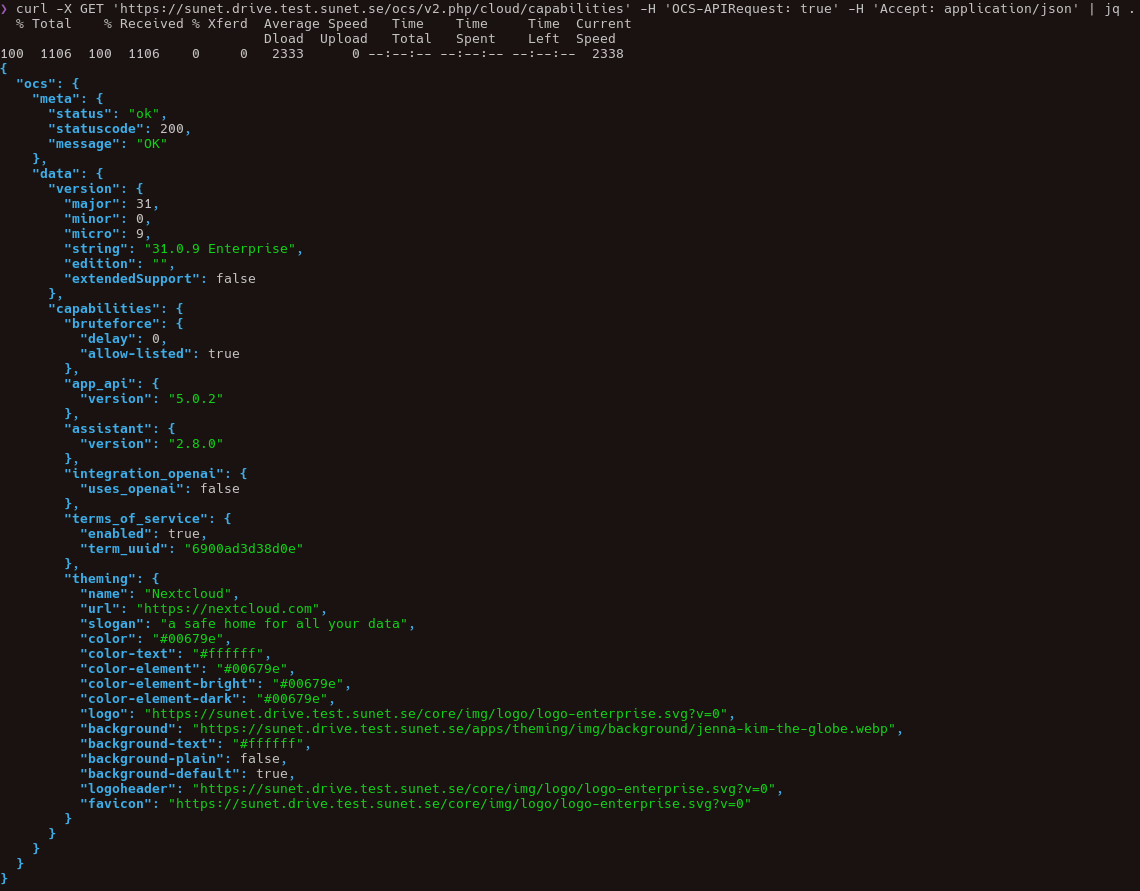
Here, we have an example calling the same endpoint without and with our username and password. Depending on the user, the server will reply with different capabilities.
curl -X GET 'https://sunet.drive.test.sunet.se/ocs/v2.php/cloud/capabilities' -H 'OCS-APIRequest: true' -H 'Accept: application/json'
curl -X -u USERNAME:PASSWORD GET 'https://sunet.drive.test.sunet.se/ocs/v2.php/cloud/capabilities' -H 'OCS-APIRequest: true' -H 'Accept: application/json'
Listing all users
curl -u USERNAME:PASSWORD -X GET 'https://sunet.drive.test.sunet.se/ocs/v2.php/cloud/users' -H 'OCS-APIRequest: true' -H 'Accept: application/json'\
\
Note: Listing all users requires the requesting user to be at least a subadmin.
Example output for server capabilities without username/password
Example trying to list users without being admin or subadmin
