Microsoft 365 Admin E-Mail rules for Sunet Drive notifications
If your organization uses Microsoft 365 as their e-mail provider, it might happen that e-mail notifications are flagged as spam or even be quarantined. In order to avoid this, you can set up custom rules in the Exchange administration:
- Open the Exchange Admin page of your M365 tenant
- Go to Mail Flow → Rules
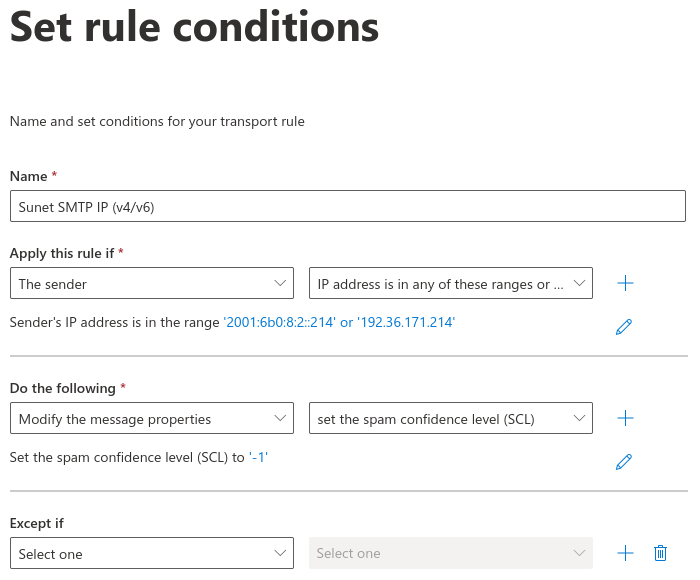
- Add custom rule to set the spam confidence level (SCL)\ ’-1’ bypasses the spam filtering
Sunet Drive sends their e-mail from ‘smtp.sunet.se’ (192.36.171.214, 2001:6b0:8:2::214), so the minimal working rule should be to have an exception for the IP addresses.
Example of setting rule conditions in M365