Creating checksums of individual files
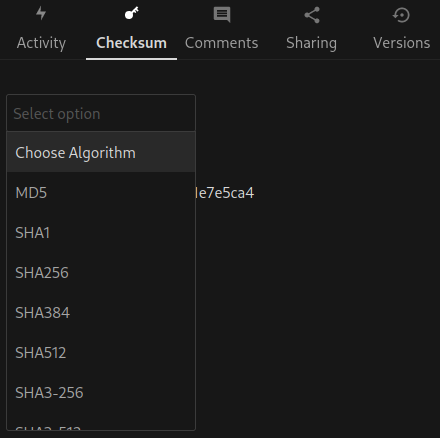
Using the web UI of Sunet Drive, you can create checksums of individual files that have been uploaded. This allows users to create a hash checksum of an individual file. The available algorithms are: md5, sha1, sha256, sha384, sha512, sha3-256, sha3-512 and crc32.
- Open the details view (sidebar) of a file
- Select the tab “Checksum”
- Select the algorithm
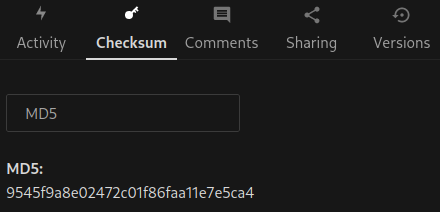
- The checksum will be calculated and displayed
Note: This app provides the essential functionality to calculate the checksum for an individual file. No checksums are saved, and if a file changes you might have to reload the page and recalculate the checksum. If you want to calculate checksums for many files, it is recommended to use a synchronization client and a local script. Contact your data office or data steward if your project requires this functionality.
Source code: https://github.com/westberliner/checksum
Selecting an algorithm
The calculated MD5 hash of a demo file